Free 15-day trial · No credit card

WhatsApp inside Bitrix24, the way it should be.

Multi-line WhatsApp natively integrated with your Bitrix24 deals. Auto round-robin distribution. Real-time analytics with sold-value tracking. Set up in 5 minutes.

No credit card Cancel anytime Official Bitrix24 Marketplace app
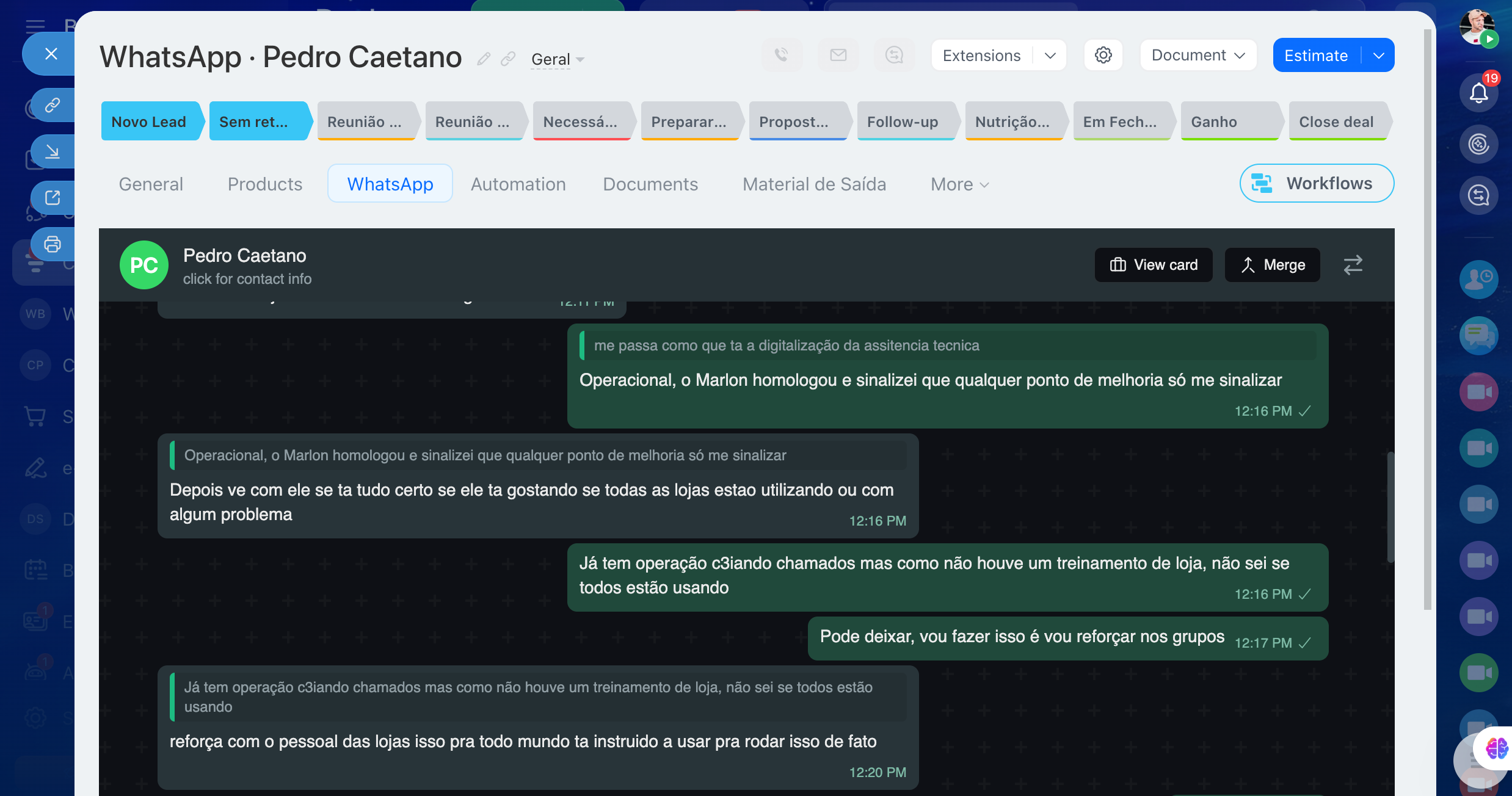
whatsbtx24 chat embedded inside a Bitrix24 deal
Why whatsbtx24

Stop juggling WhatsApp and your CRM.

Most WhatsApp integrations turn your sales process into a copy-paste exercise. whatsbtx24 lives inside the deal you already work in — every message, file and audio is the deal.

No tab juggling

Open the deal in Bitrix24 — the WhatsApp tab is right there with full history. No browser tabs, no second screen.

Leads never wait

New conversations are auto-distributed across your active agents in round-robin. Manager can transfer or take over any time.

📊

See what works

Real-time dashboard tracks sold value (per pipeline currency), response SLA breaches, and per-agent performance — exportable to PDF.

Built for serious teams

Everything you need, nothing you don't.

Native integration

Chat lives inside the deal.

Open a deal in Bitrix24 — the WhatsApp tab is right there. Full message history, audio playback, file downloads, all in the deal context. The chat is the deal.

  • Tab embedded in DEAL_DETAIL_TAB placement
  • Side-panel deal card visible while chatting
  • Audio, video, documents — sent and received
  • Reply quoted messages, transfer to another agent
WhatsApp tab embedded in a Bitrix24 deal
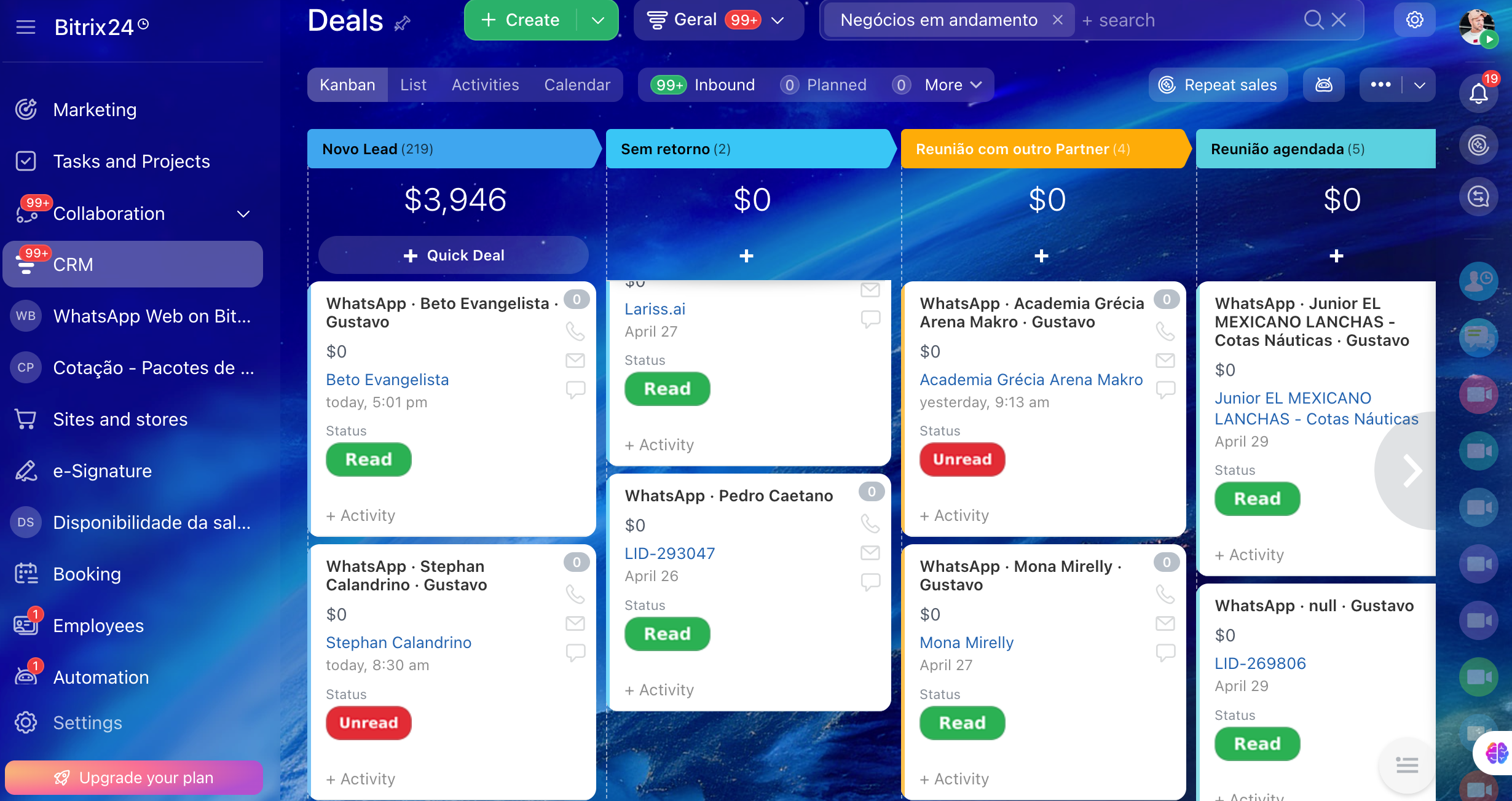
CRM kanban

WhatsApp deals on the kanban you already use.

Every WhatsApp conversation creates a deal automatically and lands on the right pipeline stage. Move it across the funnel like any other deal — won, lost, in progress.

  • Auto-creates deal on first inbound message
  • Status pill shows Read/Unread at a glance
  • Stage transitions update conversation state
Bitrix24 kanban with WhatsApp deals
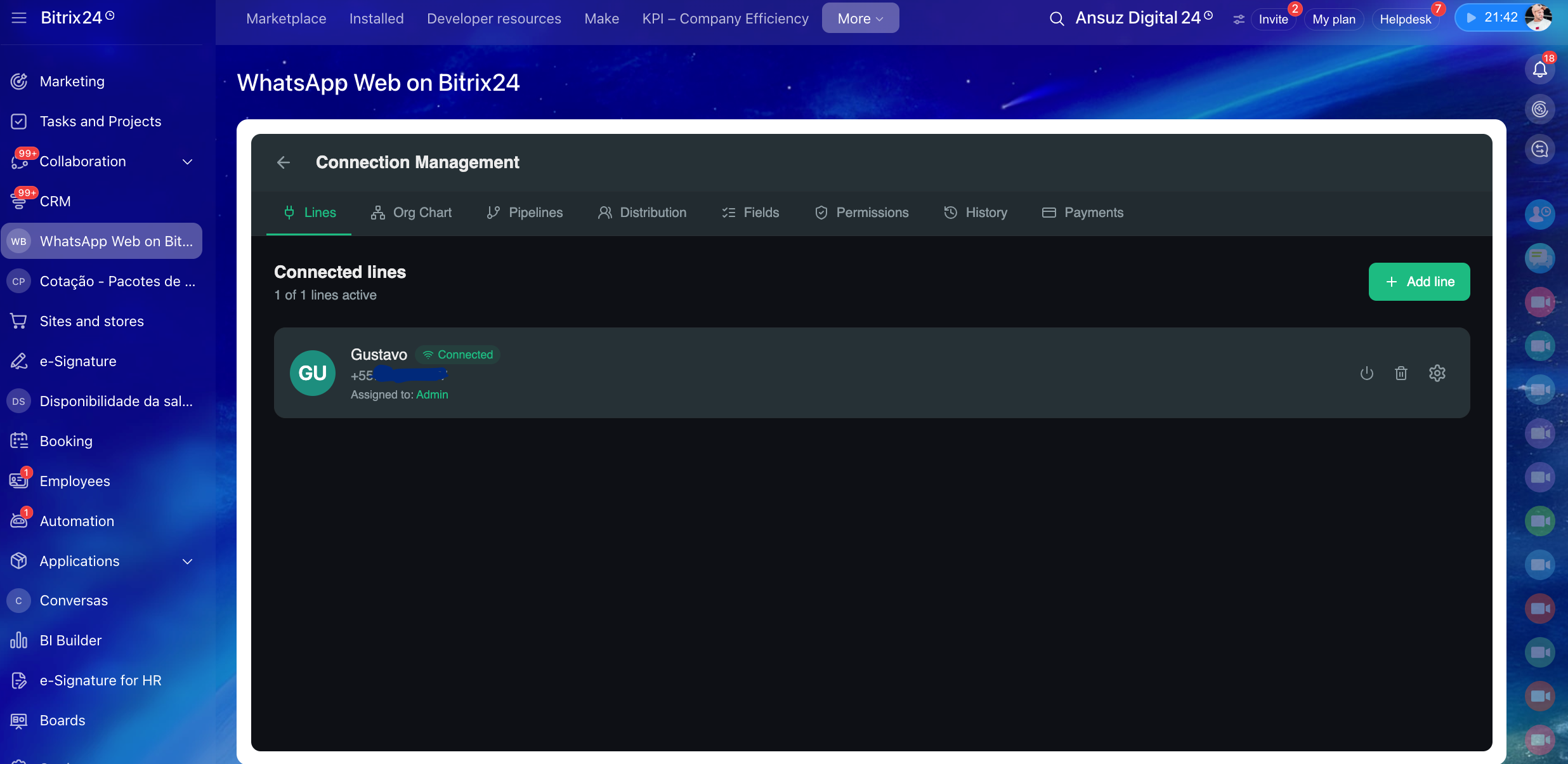
Multi-line

One number per pipeline. Or many.

Connect as many WhatsApp numbers as you need. Each line maps to a CRM pipeline (Sales, Support, Reservations, ...). Conversations from each number land on the right pipeline automatically.

  • Connect via QR Code in 30 seconds
  • Reconnect existing line without losing history
  • Each line bound to its own pipeline + SPA
Connection management — Lines tab
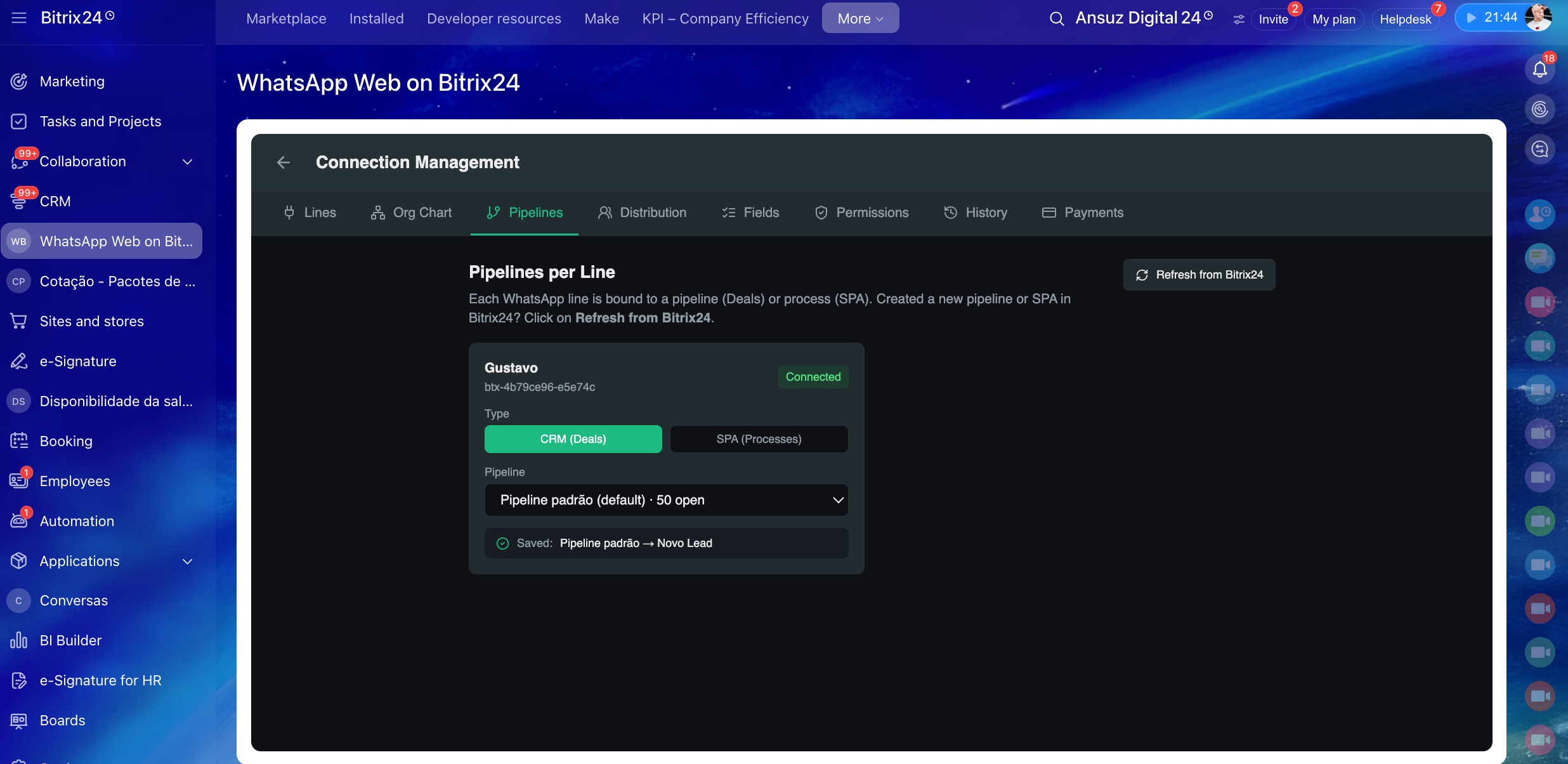
Pipelines

Each line binds to a CRM pipeline.

Sales line → Sales pipeline. Support line → Support pipeline. SPA process? Bind to it too. Define which stage new conversations land in. Everything stays in sync with Bitrix24.

  • Supports CRM Deals and SPA processes
  • Initial stage configurable per line
  • Auto-discovers new pipelines created in Bitrix24
Pipelines per Line config
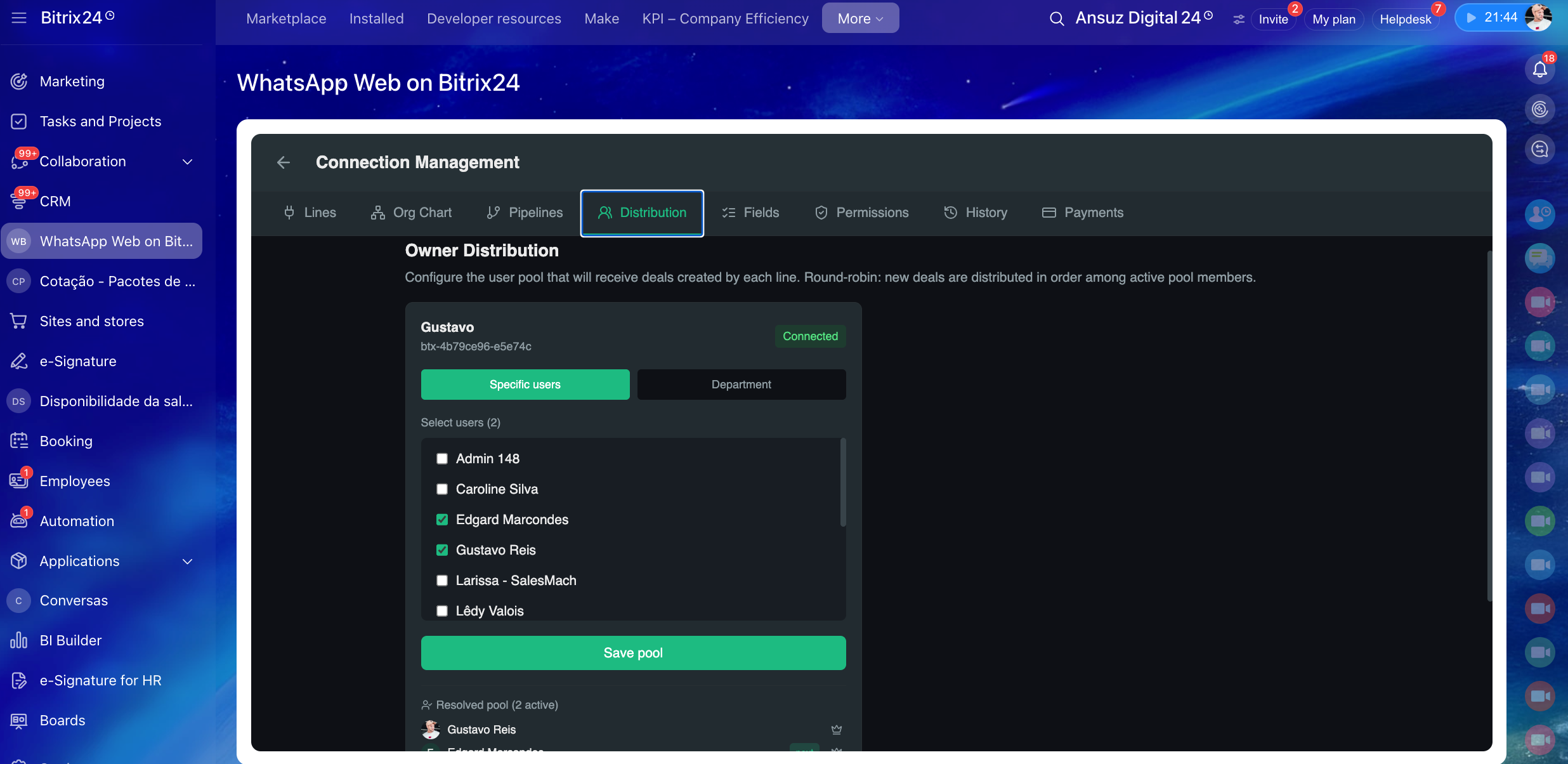
Owner distribution

Round-robin across your team.

Define the user pool for each line — pick specific agents or the whole department. New conversations auto-assigned in round-robin to active members. Manager can swap, transfer, or take over manually any time.

  • Pool of users OR full department
  • Skip inactive agents automatically
  • Manual transfer with 1 click
  • Distribution history exportable
Owner distribution config
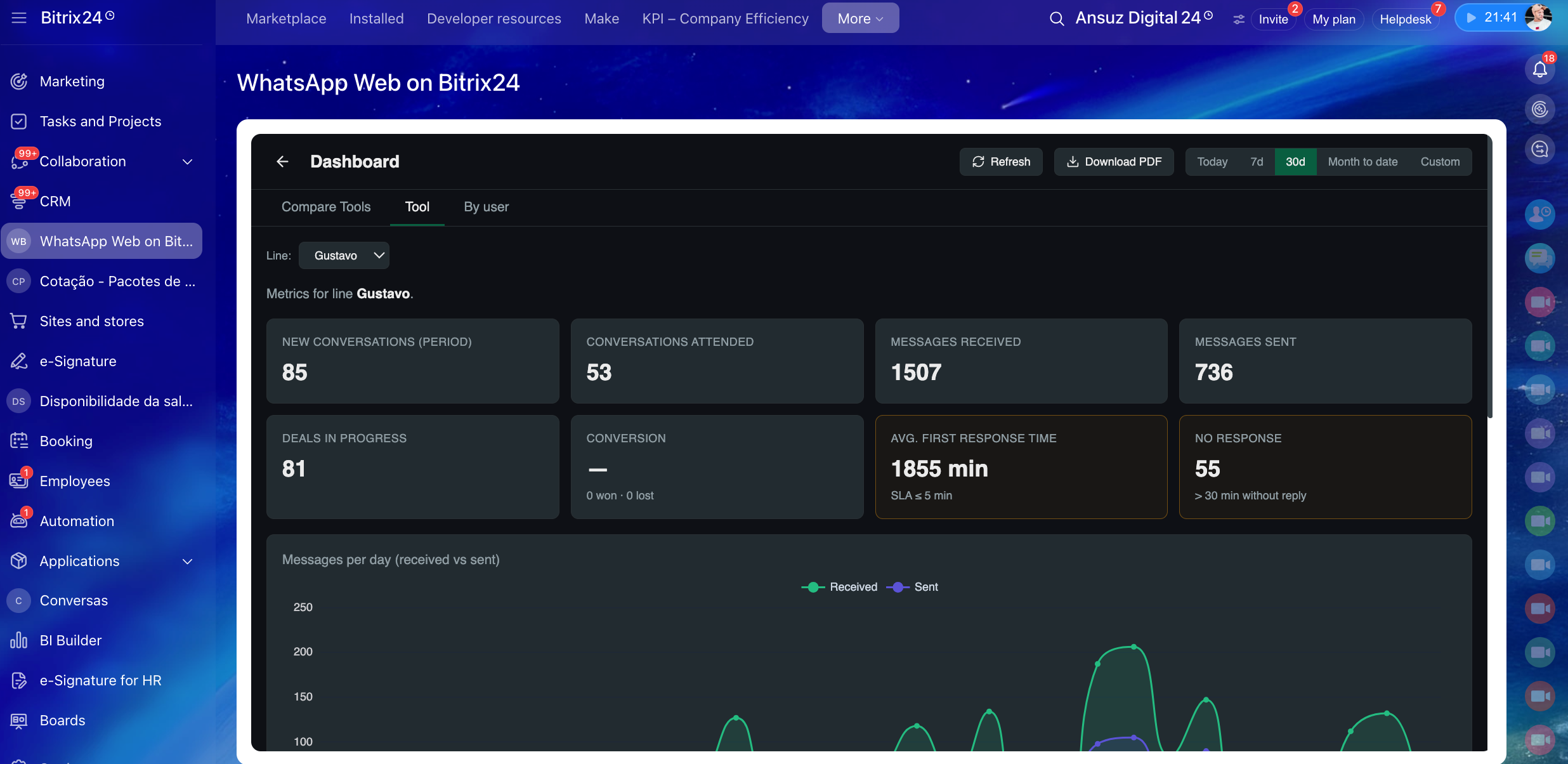
Real-time analytics

Sold value, SLA, performance — in one screen.

Sold value (per pipeline currency, USD/BRL/EUR), first-response SLA breaches, no-response timers, per-agent performance. Compare lines side-by-side. Export the active tab to PDF for reporting.

  • 3 tabs: Compare lines, single Tool, By user
  • Sold-value tracking per agent and per line
  • Custom SLA per line
  • PDF export of any active view
Real-time analytics dashboard
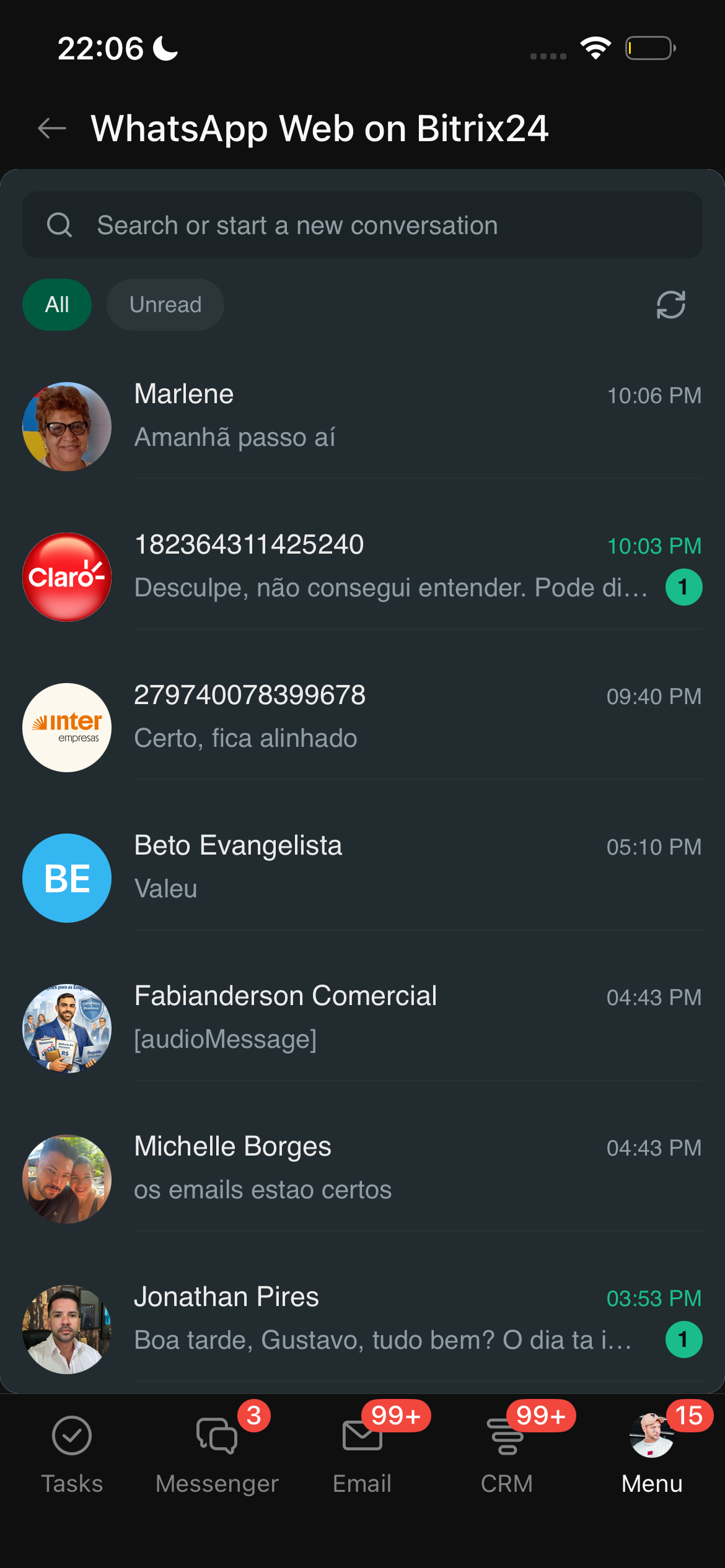
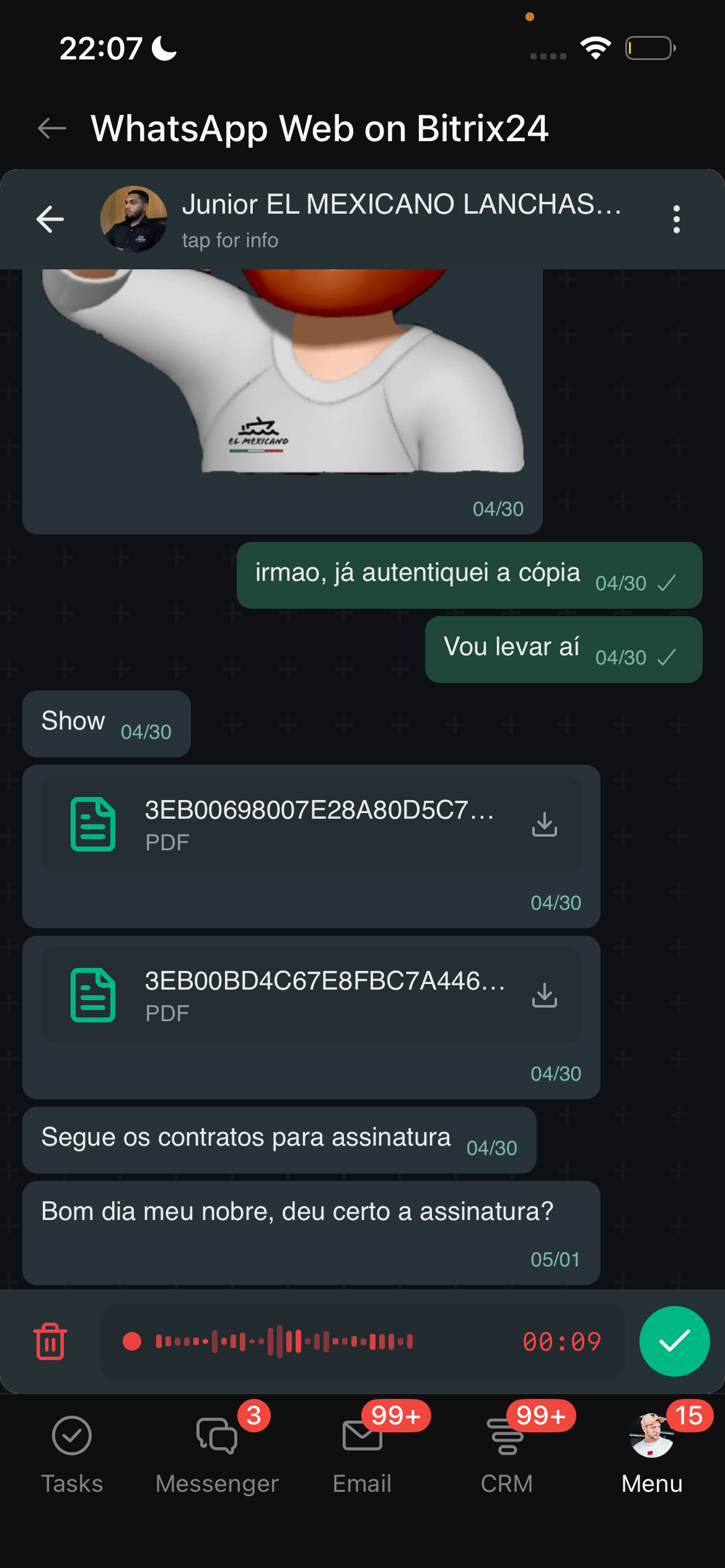
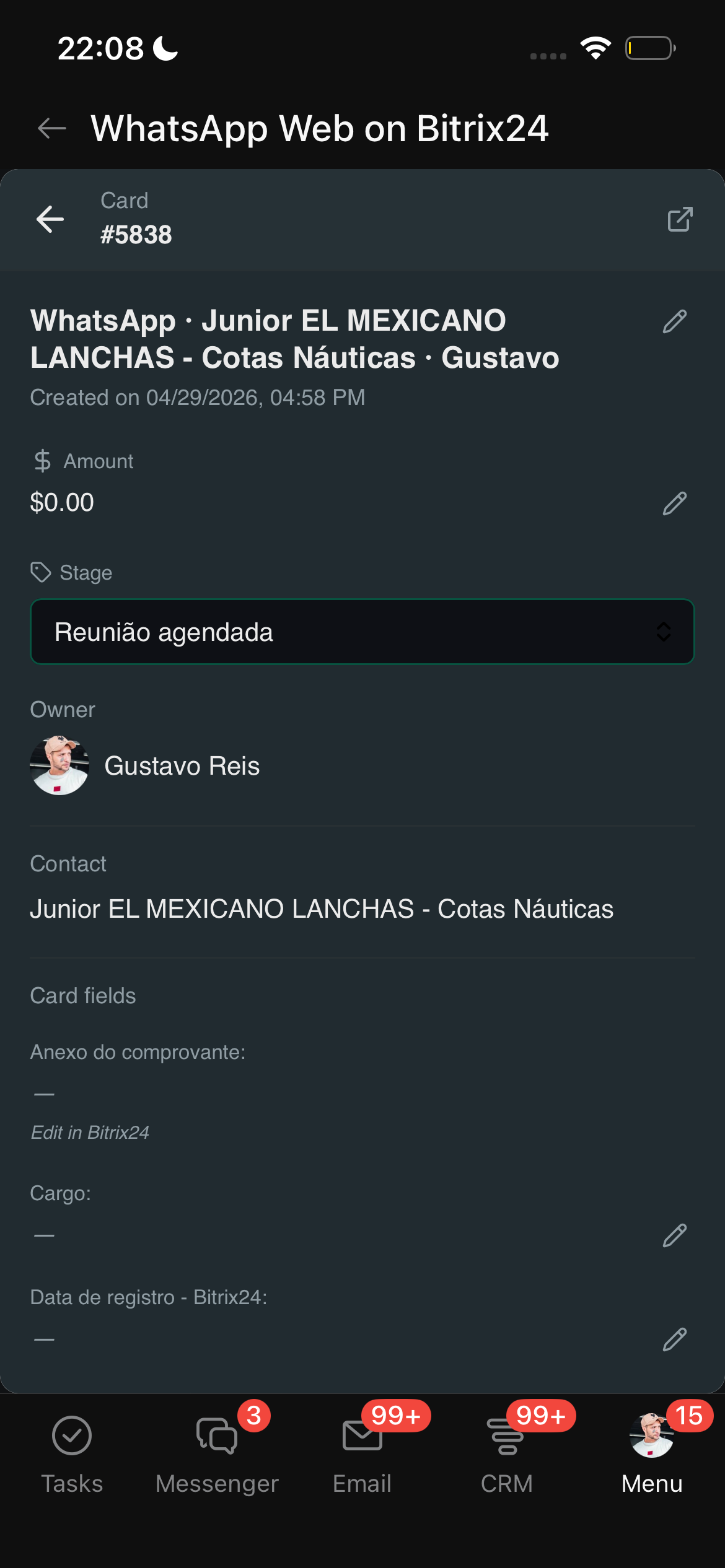
Mobile-ready

Inside the Bitrix24 mobile app.

Same chat, same context, same auto-distribution. Your team responds from the iPhone or Android Bitrix24 app — no separate install needed. Audio recording, emoji picker, deal card, all native.

  • Native iOS + Android via Bitrix24 mobile
  • Audio recording with one tap
  • Deal card slides in fullscreen on phone
Mobile — conversation list
Mobile — audio recording
Mobile — deal card
Duplicate handling

Merge duplicates in 2 clicks.

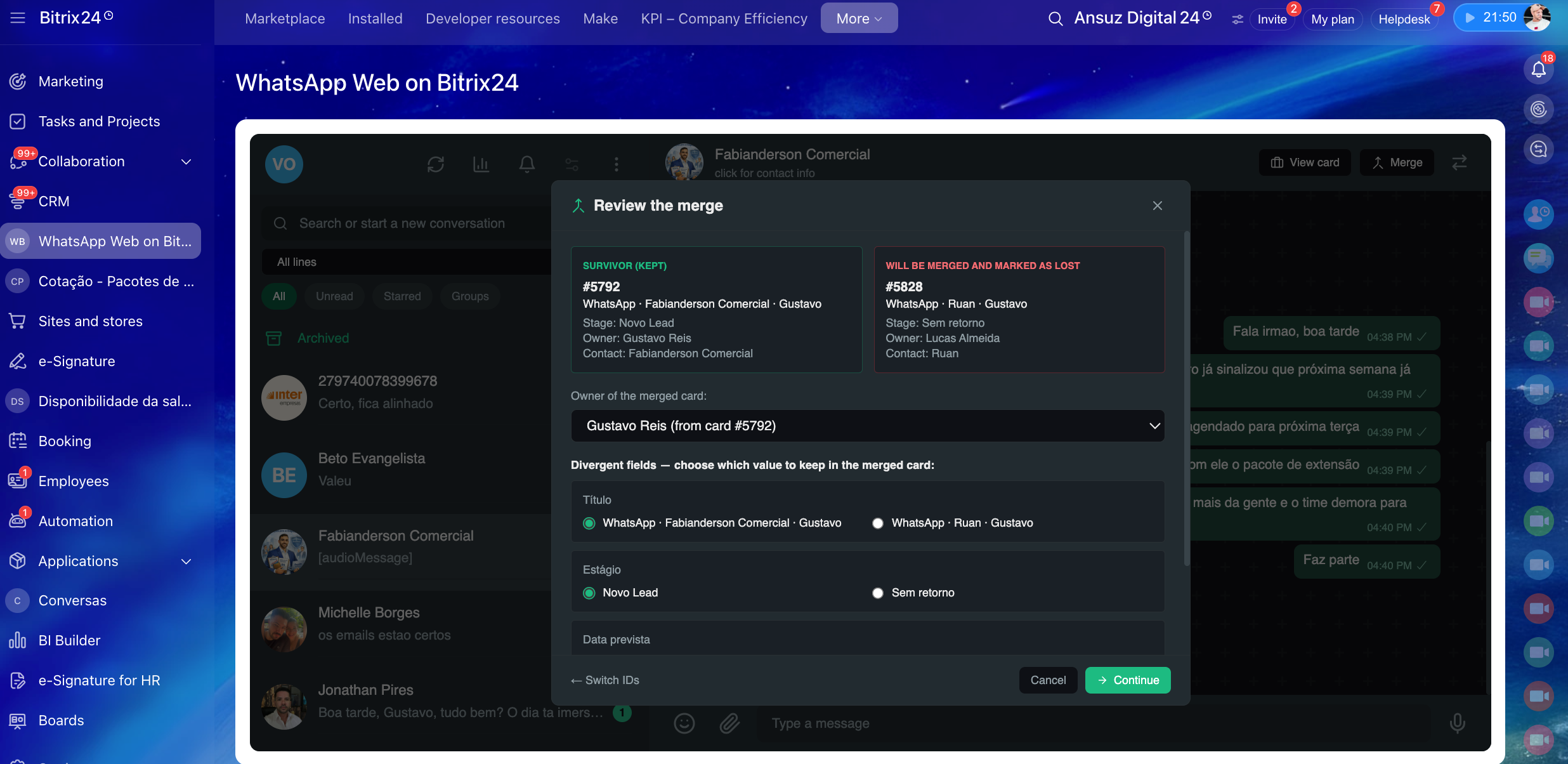
Customer messaged twice from different numbers and you have 2 deals? Merge them — keeps the survivor, marks the other as Lost in Bitrix24, moves all messages to the kept card. Choose which fields to preserve when they diverge.

  • Side-by-side review of both deals
  • Per-field choice on divergent values
  • Audit trail in Bitrix24 (Lost reason logged)
Merge duplicate deals dialog
Setup in minutes

How it works.

From install to first chat: 5 minutes. No IT involvement, no custom integration.

1

Install from Marketplace

Find whatsbtx24 in your Bitrix24 Marketplace. Click Install. Trial starts immediately.

2

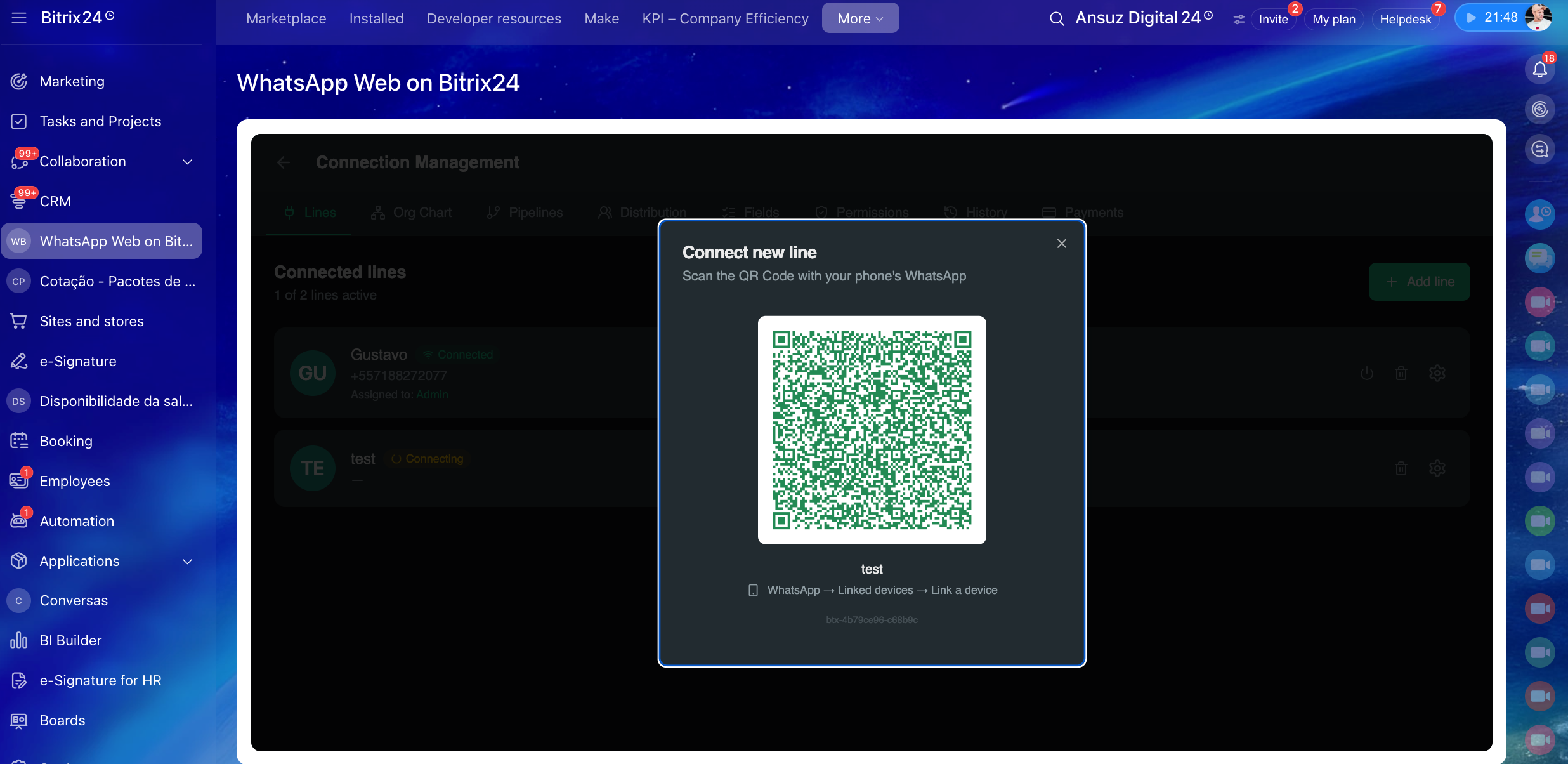
Scan QR Code

Open WhatsApp on your phone → Linked devices → scan. Connection is instant.

QR Code to connect new WhatsApp line
3

Configure & start

Pick the pipeline, define the agent pool, you're done. New messages start landing in Bitrix24 immediately.

Start free

Get your 15-day trial.

Tell us a bit about your operation. We activate your trial within 1 business day.

We reply within 1 business day to activate your trial.

We got your request!

We'll get back within 1 business day to activate your trial.

No credit card Cancel anytime Official Bitrix24 Marketplace app